Give each employee a job.
Choose a task you want off your plate and define what a good result looks like.
SUCCESS.
It may take a few minutes to arrive, so check Promotions or Spam if you do not see it.
Your kit is secured. Everything below is completely optional.
A practical AI course for solopreneurs
Then build AI employees that handle your marketing, research and follow-up—with a quality-control agent to check their work.
Start with Theo, your included SoloStack Coach, to guide you through building and training your AI employees. Ben Angel’s step-by-step lessons show you how to turn the AI tools you already have into employees trained on your business—without hiring a team or learning to code.
Lifetime course and community access included.
No coding experience needed.Theo’s setup file is included. You learn to build the rest of your team.
YOU STARTED A BUSINESS.
AI Finished in Seconds. Why Are You Still Working on It Hours Later?
You’re already the marketer, copywriter, bookkeeper, video editor and website designer. Now you’re jumping between AI chats, repeating your instructions and rewriting drafts that miss the mark. The output arrives fast. Making it useful still lands on you.
You don’t need another job managing AI. You need employees trained on your business, with clear jobs and standards—and a quality-control agent to check their work. Learn to build that team so the tools you bought start taking work off your plate.
Get My First AI Employee NowTHE SETUP BEHIND THE SIMPLE REQUEST
Imagine handing over a marketing email with your offer, audience and voice already understood—and having a quality-control agent check the draft against your standards before it reaches you.
That’s what you’ll learn to build: AI employees with defined jobs, business knowledge and a repeatable process for producing useful work.
Choose a task you want off your plate and define what a good result looks like.
Supply your offers, audience, voice and examples so it has more to work with than a one-line prompt.
Create an agent to check the output, identify missing details and flag work that needs attention.
Start with one real task. Test the result, improve the process and use what you learn to build your next employee.
Get My First AI Employee NowONE REQUEST. YOUR TEAM TAKES IT FROM THERE.
See the handoffs in action with an Instagram reel—then apply the same approach to emails, research and customer follow-up.
Tell your AI Chief of Staff, “Edit my Instagram reel.” In this illustrative workflow, the Chief coordinates the editor, quality-control agent and scheduling employee—so you don’t have to prompt each one separately.
“Edit my Instagram reel.”
Your Chief uses your footage, brand guidelines and publishing instructions to assign the video-editor employee a clear brief.
The editor prepares the reel using connected editing tools. The quality-control agent checks the edit, captions and format against the brief.
A caption is misspelled and the opening runs too long. Quality control flags both. The Chief routes the feedback to the editor, then sends the revised reel through another check.
Edit → Check → Correct → Recheck
Once it passes quality control and any approvals you’ve required, the Chief hands the reel to your scheduling employee to upload and schedule on your connected platforms.
Fix the caption typo and shorten the opening. Then send the revised edit back through quality control.
Illustrative step 1 of 3 · Your Chief coordinates the handoffs.
Illustrative workflow · local demo only. No video is edited, uploaded or scheduled.
This example shows a workflow you can learn to configure, not a live agent or a student result. Editing, checking, uploading and scheduling depend on supported tools, configured integrations and permissions. Platform capabilities vary; you set the approval rules.
A METHOD YOU CAN USE AGAIN
Client follow-up. Content preparation. Research for a decision. Choose the work that matters to your business, then create and test a teammate around it.
Theo’s setup file is included. The roles below are examples you learn to create and customize in your chosen platform; they are not separate agents to buy.
Illustrative output. Not a live agent or a student result.
In the course, you’ll learn how to build personalized AI employees around the jobs your business needs.
YOUR INCLUDED SOLOSTACK COACH
You don’t start from a blank screen. You get Theo’s setup file and step-by-step instructions. Add details about your business, then follow his guidance to create your next teammate.
Start in Module 0: The Foundation. Install the included file in your chosen AI platform, add your business context and use Theo’s guidance to plan your first specialist. Theo guides you. You create, configure and test your specialists.
YOUR BUSINESS. YOUR TEAM. YOUR CHOSEN PLATFORM.
“Why can’t I just set up a bot myself?”
You can. Starting a bot is the first step. Zero Employee Entrepreneur teaches you how to shape it around a real job in your business, then test, improve and manage the team around it.
Give each employee a clear job, your business knowledge and standards for useful work.
Brief one lead employee that assigns the work and manages the handoffs.
Have it check work against your standards, flag problems and send it back for correction through the workflow you set up.
The course works inside the platform you choose. You’re learning how to use its capabilities for your business, with boundaries, testing and improvements as you go.
 Perplexity
Choose one paid plan: ChatGPT, Claude, Perplexity or Grokbot. The lesson includes setup instructions for each.
Your AI subscription is purchased separately. Available tools, integrations and automation vary by platform; extra tool or usage charges may apply.MEET YOUR INSTRUCTOR · BEN ANGEL
Bestselling author. Entrepreneur Magazine contributor. Your course instructor.
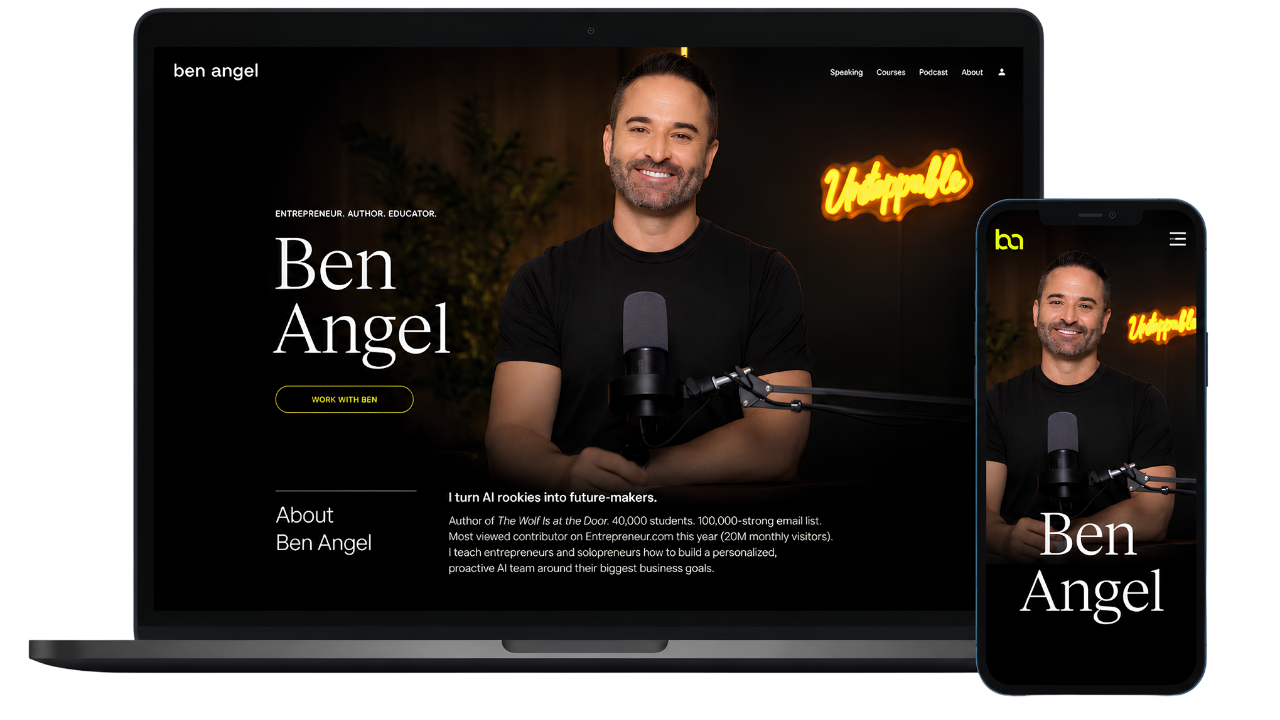
I’m Ben Angel. I teach entrepreneurs how to turn the work they need help with into clear jobs for AI teammates—including a quality-control employee to check the team’s work.
I’m the author of The Wolf is at The Door: How to Survive & Thrive in an AI-Driven World, published by Entrepreneur Magazine.
Inside Zero Employee Entrepreneur, I take you through the setup, the testing and the decisions behind useful work. You’ll get recorded videos, written lessons and personalized support from me in the community.
You don’t need a tech background. Bring the work you want help with. I’ll teach you how to build the team.
PICTURE YOUR BUSINESS WITH HELP
The team changes. The starting point is the same: one job you wish someone else could help with.
I started as a beginner. Now I know how to build the help I need.
“Ben inspired me to create an AI employee for whatever I was working on that day. I made Jane to help edit my videos, then Ralph to prepare the captions and schedule the approved posts. Two weeks later, I had a whole team with clear jobs—and I started as a complete beginner. The biggest change? When another task landed on my plate, I knew how to build someone to help.”
From starting every proposal again to having a team prepare it.
“Proposal preparation kept pulling me away from client work. I created Iris to turn my discovery notes into a first draft using my services and pricing rules. Then I made Hugo to check for gaps and Tess to prepare the follow-up. I still make the recommendations and approve the promises. Now I have a team helping me get to that point.”
I help clients make a plan. I built a team to help with mine.
“I was helping everyone else get organized while rebuilding my own plan each week. I created Ada to organize my priorities, then Felix to turn my session notes into draft action plans. June prepares the reminders for me to approve. Giving each one a clear job gave me a process I can review, instead of another pile of notes to piece together.”
ZERO-EMPLOYEE ENTREPRENEUR
Get started immediately with Theo and choose the first job you want off your plate. The Foundation and Mission modules are ready when you join; the next four modules unlock weekly as you build your team.
A 30-day build guarantee.
Complete The Foundation and install Theo to qualify. See the guarantee and how to request a refund.
THE COURSE. THE COACH. THE SUPPORT.
Learn a process you can return to whenever your business needs a new kind of help. Start with Theo, then create and customize your own teammates.
The Foundation and The Mission are available immediately. The other four modules unlock weekly. You can ask Ben questions in the community as you go.
You’ll need one paid AI platform plan, purchased separately. Additional integrations and usage charges may apply.
Set aside one hour a week. Learn at your own pace.
Get My First AI Employee Now Requires one paid plan on ChatGPT, Claude, Perplexity or Grokbot, purchased separately. Additional integrations and usage fees may apply.If you haven’t built at least one working AI specialist and the foundations of your AI Chief of Staff within your first 30 days of access, you can request a full refund.
To qualify: complete Module 0: The Foundation and install Theo, your SoloStack Coach.
Request your refund within those 30 days by emailing info@areyouunstoppable.com.
BEFORE YOU BUILD
You’re buying Zero Employee Entrepreneur, a course taught by Ben Angel, with recorded videos, written lessons and lifetime community membership. Theo’s setup file is included. You learn how to create your own teammates and customize them for your business inside your chosen AI platform.
You get instant access to Module 0: The Foundation, where you install and personalize Theo, and Module 1: The Mission, where you choose your goal and map the work. The remaining four modules unlock weekly. The course includes recorded videos and written lessons, and you can work through each released module on your own schedule.
Plan for one hour a week over six weeks. This is a suggested study pace. You build and test your team as you progress, and your lifetime access lets you return to the lessons whenever you’re ready.
Yes. Start with Theo’s included setup file and the step-by-step lesson for your chosen platform. Tell him about your business and the work you need help with, then follow the course to create and test your next teammate. You can ask Ben for help in the community.
No coding experience is required. You’ll learn to give each teammate a clear job, share your business knowledge and check its work. Follow the setup steps and start with a practical task you can review.
You need a paid plan on one of these platforms: ChatGPT, Claude, Perplexity or Grokbot. The lesson includes individual setup instructions for each, so you can choose the one you want to use. Your AI subscription is separate from the course price. Additional integrations and usage fees may apply. Features such as memory, scheduling, tool access and automated handoffs vary by platform and plan.
Start by installing Theo, your SoloStack Coach, using the included setup file and the instructions for your chosen platform. Personalize him with your business context and goals. You learn to create and customize the rest of your team through the later modules.
Ask your questions in the community. Ben Angel personally answers and provides personalized support to help you work through the setup and customize your teammates. Community membership is included for life.
Free lifetime access to the course and community is included with your one-time purchase. Revisit the lessons whenever you need a refresher or want to build another teammate. Weekly course updates are included too.
They work within the capabilities and permissions you give them. Some work is drafted for your review; some can be connected to tools or automated where supported. You learn to set boundaries and check quality before relying on the output. The bookkeeping example does not replace a qualified accountant.
No. Start with your own business goals and build the roles that support them. Theo comes with the course; the other characters show examples of teammates you can learn to create and customize for your own needs.
If you haven’t built at least one working AI specialist and the foundations of your AI Chief of Staff within your first 30 days of access, you can request a full refund. To qualify, you must complete Module 0: The Foundation and install Theo, your SoloStack Coach. Email info@areyouunstoppable.com within those 30 days to request your refund.
ONE PRACTICAL PLACE TO BEGIN
The content, research and follow-up still need doing. Choose one place to begin, personalize Theo, then follow the lessons to build AI teammates around your business.
For $197 USD once: six modules, Theo’s setup file, recorded videos, written lessons, personalized support from Ben, and lifetime course and community access.
Get My First AI Employee NowAfter checkout, start The Foundation and The Mission immediately. The other four modules unlock weekly. Your paid AI platform subscription is separate; extra tool and usage charges may apply.
A 30-day build guarantee.
Complete The Foundation and install Theo to qualify. Read the full conditions and refund instructions.